- Upload your logo
- Select the directory filter(s) that best describe your mission area and location.
- Link to your social media pages if you’d like. Any section you leave blank will not be included in your directory listing.
- If you have a photo or video that you’d like folks to see in your directory page, you can upload or link to those in the directory gallery.
- Hit SAVE on your changes
- Before you leave, check out your listing on the front of the site.
MNA has a brand new member portal as well as two (vastly improved) member directories. We need your help to make them work well.
In an effort to better serve all our members and more easily extend member benefits to your whole organization, we have spent the last four months transitioning to a new association management system – Novi AMS. Members will now be able to update their own directory pages and manage staff/board contacts within the system so that all organization contacts have easy access to MNA member benefits.
How to get started:
1. Create new login credentials
Gone are the days of sharing your MNA password with your colleagues. Now everyone–your staff, board members, and key volunteers—will be able to create their own logins and will automatically receive member benefits once they are linked to your organization.
Enter your email and then follow the prompts. Your previous username and password will not work on the new website.
If your email address is already connected to your organization, you’ll be prompted to set a new password.
If we do not have the email on file in our new system, you’ll be prompted to create a new user account (which we know is a little confusing if your organization is already a member). After you save your new login info, you’ll enter your organization’s name on the Key Info page, which will automatically link your profile to your organization’s membership.
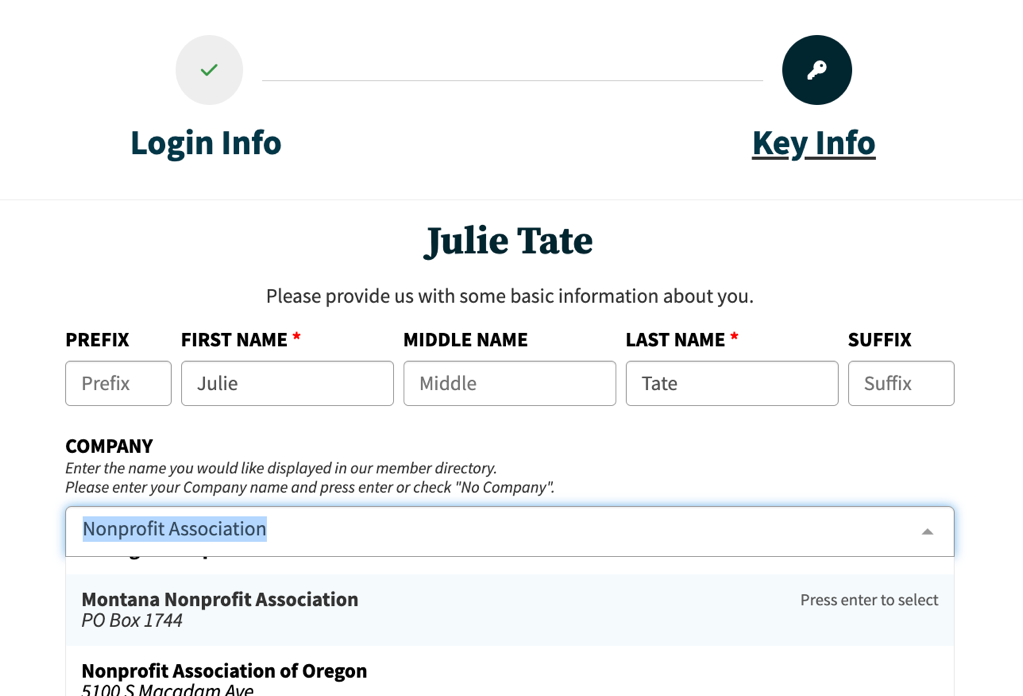
Note: Users without a company-specific email: your organization’s primary contact will have to approve your signup before you are able to access your member compass. For example, if your email is someonegreat@gmail.com, and not someonegreat@supernonprofit.org, someone at Super Nonprofit will need to approve you as a real company contact. This could take a few days. We know this might create some frustration, but it helps us make sure bots aren’t getting access to MNA member benefits. Emails with custom domains will automatically be associated with your organization.
2. Edit your list of company contacts and assign management access
The person listed as your organization’s primary MNA contact in our old database will start out as the only person in your org with management access in our new system. It is up to them to assign more people management access, and we encourage them to do so—there’s no limit to the number of people who can have management privileges and this will allow more folks to help keep your organization’s directory profile and list of people up to date.
Not sure who your organization’s primary contact is? Call or email us: mna@mtnonprofit.org or (406) 449-3717.
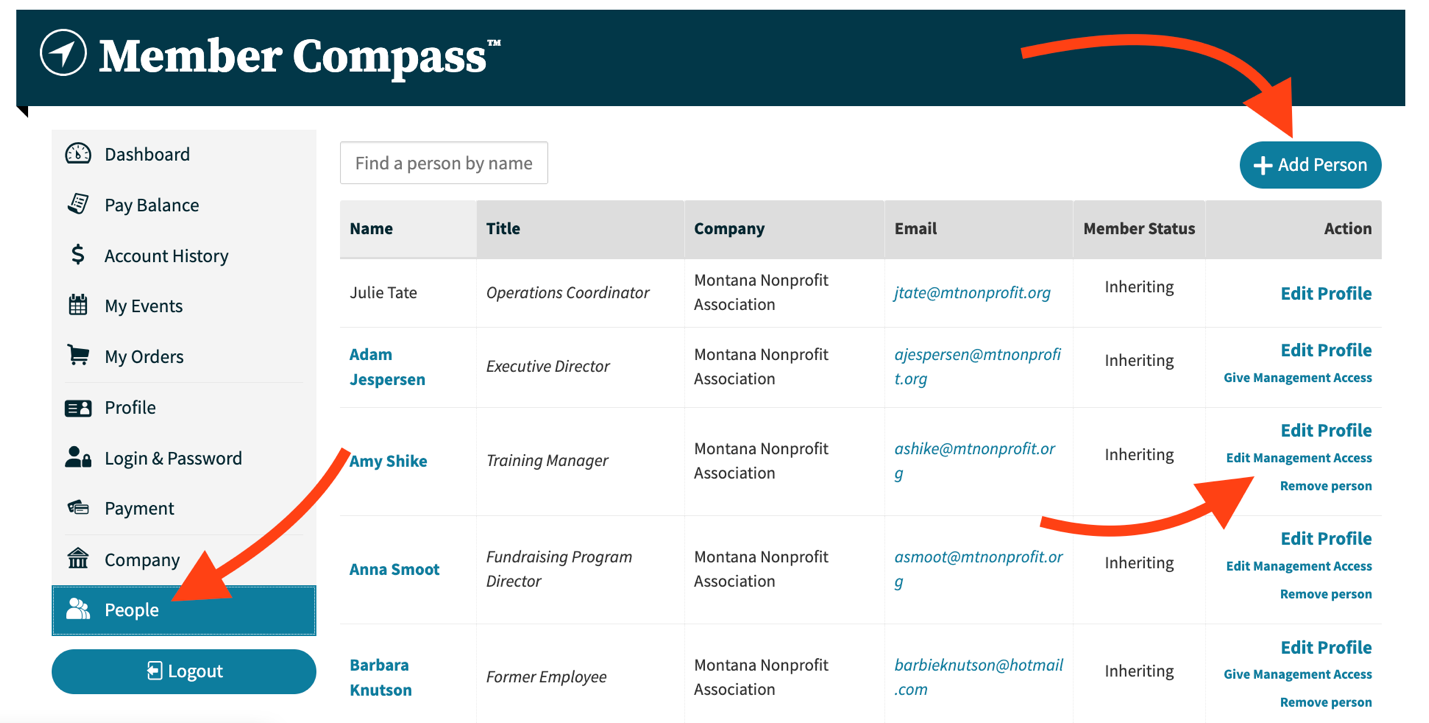
Your primary contact should log in and edit your list of company contacts by clicking on the People tab in their member compass.
Our new system pulled in any company contact that it thought might be associated with your organization. You might see some folks on your list that have been gone a long time or whose names you don’t recognize. You’ll likely notice that your list is missing some key staff or board members. You can remove people by clicking “Remove Person” and add to your list by clicking “Add Person” in the upper right of your People list.
3. Fill in your company profile — you’ll also need management access for this
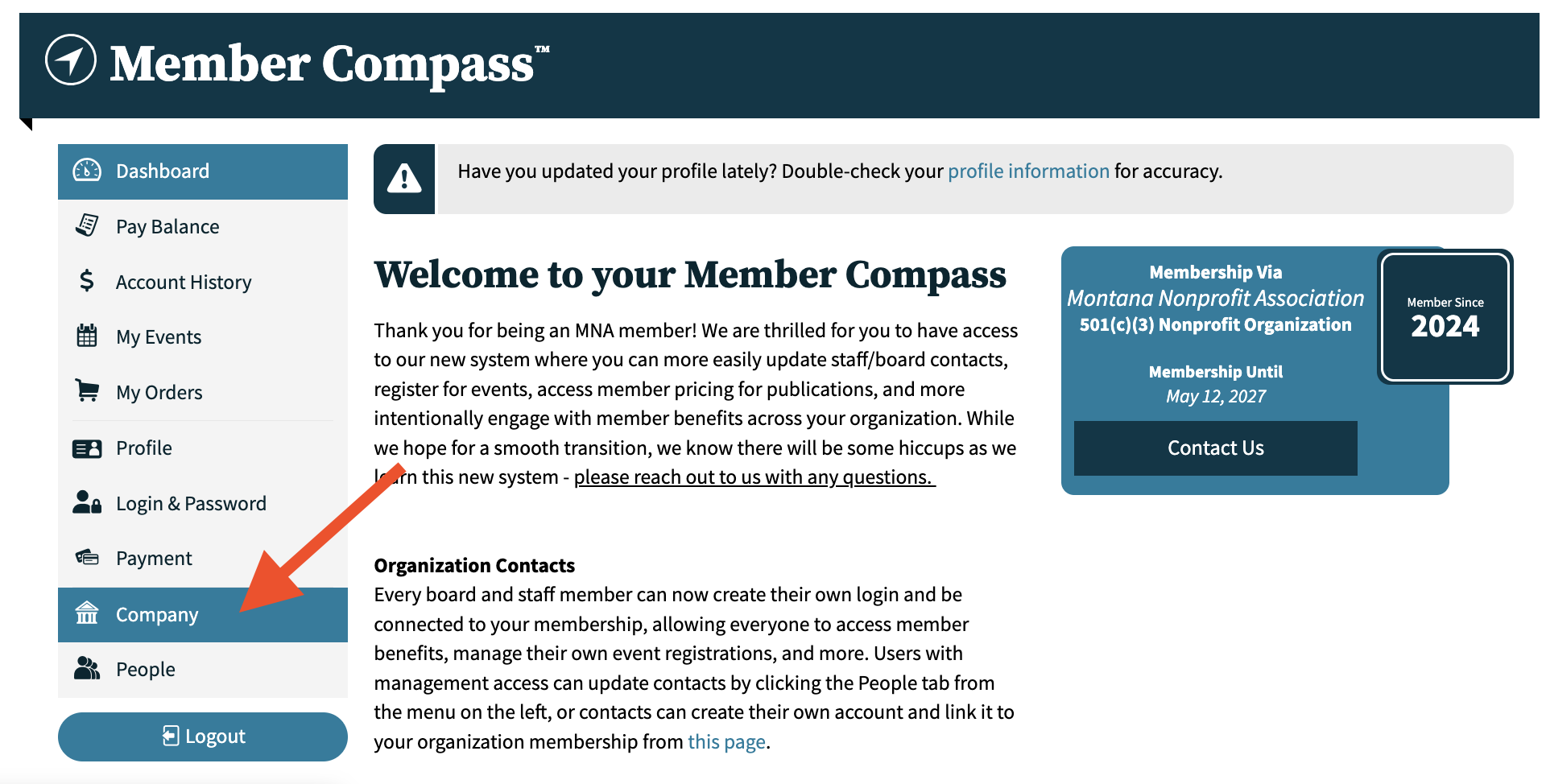
Nonprofit Directory Detail
This is where the content for your org’s page in our public nonprofit directory goes! This is one of the things we’re MOST excited about in our new system. Whether they’re looking to volunteer, serve on a board, donate, or find services, we want people to be able to find the organization they’re looking for when they search in our Nonprofit Directory!
Fill out your organizational overview: this is the meat of your directory profile—make sure people will know what you do and how they might get involved, receive services, collaborate, or even donate! Be specific and feel free to include links! Here is a fun example page.
Internal Information
There are also some fields in your company profile that we require but will keep private. That includes demographic information, your operating budget, and your EIN. You’ll also see information about your GrantStation subscription (if you have one) in this section.
4. And that’s all the set-up you need to do!
From now on, you and your crew will be able to log into your member compass to:
- Register for events
- Add or update staff contacts
- Update your organization information
- Track event attendance
- View/Pay invoices
- Purchase GrantStation
- Get automatic member-pricing for MNA publications
- …and more!
We have worked hard to get our new system up and running, but we expect to run into a few hiccups along the way. Please don’t hesitate to reach out if you have questions or run into something that doesn’t make sense!
Email: mna@mtnonprofit.org
Phone: (406) 449-3717.